.svg)

Enterprise IT Systems: Top Enterprise System & Applications for EAS Success

Alex Oosterman
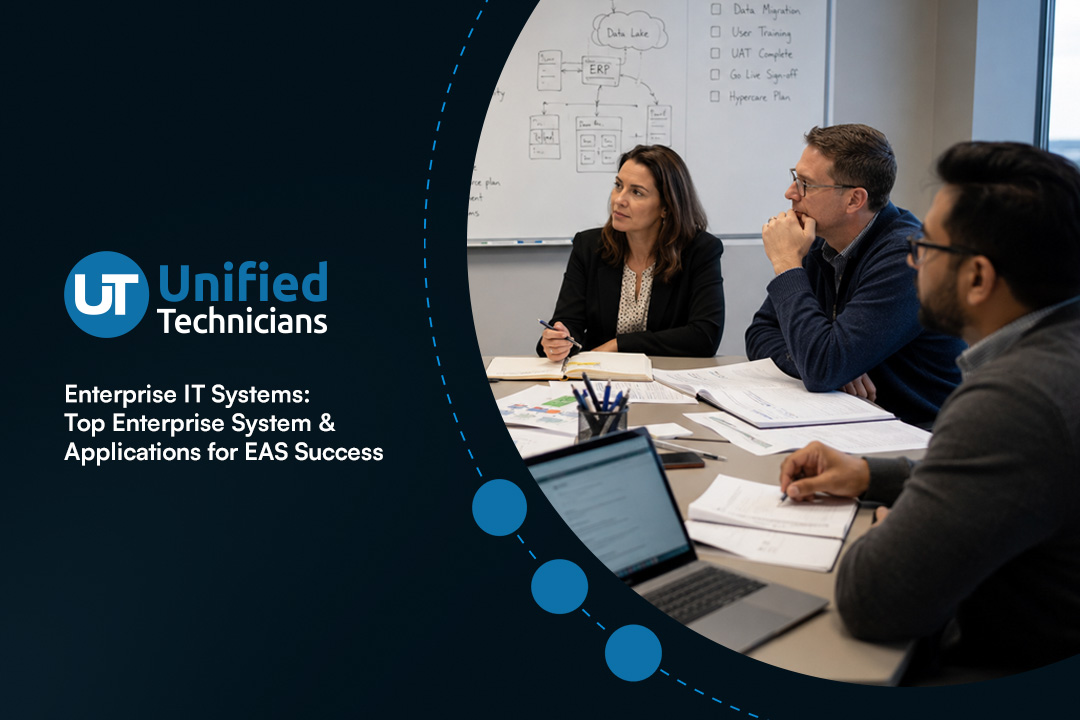
Enterprise IT systems are the backbone of how large organizations run their daily operations and plan for growth. In this blog, you’ll learn what enterprise IT systems are, why they matter, and how they help businesses manage everything from data to workflows. We’ll cover the main types of enterprise systems, explore common mistakes to avoid, and share practical tips for choosing and using these solutions. You’ll also discover how enterprise resource planning and business intelligence tools can help centralize and streamline your business processes.
Understanding enterprise IT systems and their business impact
Enterprise IT systems are large-scale software platforms that help organizations manage complex operations. These systems connect different departments, making it easier to share information and work together efficiently. By using enterprise IT systems, companies can automate tasks, reduce manual errors, and improve decision-making.
A key benefit of these systems is their ability to centralize data. When information is stored in one place, it’s easier to access, analyze, and use for business decisions. For example, an enterprise IT system can help a company track inventory, manage customer orders, and monitor financial performance—all from a single dashboard. This level of integration supports better communication and faster responses to market changes.

Avoiding costly mistakes with enterprise system adoption
Choosing and implementing enterprise IT systems can be challenging. Here are some common pitfalls you should watch out for when selecting and rolling out these solutions.
Mistake #1: Not defining clear business goals
If you don’t know what you want to achieve, it’s easy to pick the wrong system. Start by identifying your company’s main challenges and what you hope to improve, such as automating workflows or boosting productivity.
Mistake #2: Overlooking user training
Even the best enterprise IT solutions won’t work if your team doesn’t know how to use them. Make sure you plan for training and ongoing support so everyone can get the most out of the new tools.
Mistake #3: Ignoring integration needs
Your enterprise IT systems should work well with your existing software. Failing to check compatibility can lead to data silos and extra manual work. Always review how new systems will connect with your current applications.
Mistake #4: Underestimating data migration
Moving data from old systems to new ones can be complex. Plan for data migration, including cleaning and organizing information before the switch.
Mistake #5: Skipping regular updates
Enterprise IT systems need regular updates to stay secure and efficient. Set up a schedule for software maintenance and keep your systems current to avoid security risks.
Mistake #6: Not involving key stakeholders
Leaving out important team members during planning can lead to missed requirements and resistance to change. Involve all departments that will use the system to ensure it meets everyone’s needs.
Essential features of enterprise applications
When evaluating enterprise IT systems, look for these important features:
- Centralized data management for easy access and reporting
- Automation of repetitive tasks to save time and reduce errors
- Customizable workflows to fit your unique business process
- Real-time analytics for better decision-making
- Strong security controls to protect sensitive information
- Scalable architecture that grows with your business

The role of enterprise application software in business growth
Enterprise application software is designed to help organizations manage large volumes of data and complex processes. These tools support everything from supply chain management to customer relationship management (CRM). By using enterprise application software, businesses can streamline operations and improve collaboration across departments.
Another advantage is the ability to optimize business operations through automation. For example, automating procurement or human resources tasks can free up staff to focus on more strategic work. With the right enterprise IT systems in place, companies can adapt quickly to changing market demands and stay competitive.
Key strategies for successful enterprise IT systems deployment
Implementing enterprise IT systems takes careful planning and execution. Here are some proven strategies to help ensure a smooth rollout and long-term success.
Strategy #1: Assess current business needs
Start by reviewing your existing processes and identifying areas for improvement. This helps you choose the right system features and avoid unnecessary complexity.
Strategy #2: Involve cross-functional teams
Bring together staff from different departments to gather input and test new systems. This ensures the solution fits everyone’s needs and increases user adoption.
Strategy #3: Set realistic timelines and budgets
Rushing implementation can lead to mistakes. Develop a clear project plan with achievable milestones and allocate enough resources for each phase.
Strategy #4: Prioritize data security and compliance
Make sure your new enterprise IT systems meet local regulations and industry standards. Protecting sensitive data should be a top priority during and after deployment.
Strategy #5: Monitor performance and user feedback
After launch, track key metrics like productivity and user satisfaction. Use this feedback to make improvements and address any issues quickly.
Strategy #6: Plan for future scalability
Choose systems that can grow with your business. Scalable solutions make it easier to add new users, features, or locations as your company expands.

Practical considerations for deploying enterprise IT solutions
Rolling out enterprise IT solutions requires more than just installing software. You need to think about how the new system will fit into your existing operations and what changes may be needed. Start by mapping out your current workflows and identifying any gaps or bottlenecks.
It’s also important to communicate clearly with your team about what’s changing and why. Provide training and resources to help everyone adjust. Finally, set up a support system for troubleshooting and ongoing maintenance. This approach helps you get the most value from your investment and ensures a smooth transition.
Best practices for maximizing enterprise IT systems
To get the most out of your enterprise IT systems, keep these best practices in mind:
- Regularly review and update your system settings
- Involve end users in feedback and improvement processes
- Keep security protocols up to date
- Use analytics to track performance and spot trends
- Schedule routine maintenance and software updates
- Encourage ongoing training and skill development
Following these steps will help you maintain reliable systems and support long-term business growth.

How Unified Technicians can help with enterprise IT systems
Are you a business with 50 or more employees looking to improve your IT setup? Growing companies often face challenges with data management, process automation, and keeping everything running smoothly. If you want to centralize your operations and boost productivity, we can help.
At Unified Technicians, our team specializes in enterprise IT systems for organizations like yours. We understand the unique needs of larger businesses and offer tailored enterprise IT solutions to help you streamline operations, deploy new technologies, and stay secure. Contact us today to see how we can support your growth.
Frequently asked questions
What is an enterprise system, and how does it benefit large organizations?
An enterprise system is a type of software that connects different departments, making it easier to manage business operations and share information. For large organizations, this means smoother workflows and better data management.
By using enterprise resource planning tools, you can centralize your information system and improve communication between teams. This leads to faster decision-making and more efficient business process management.
How do enterprise applications support business growth?
Enterprise applications are designed to automate tasks and improve productivity across your company. They help you streamline everything from supply chain management to customer relationship management.
With the right ERP system, you can optimize your business operations, reduce manual work, and gain insights through business intelligence features. This supports faster growth and better service for your customers.
What should I look for in enterprise application software?
When choosing enterprise application software, focus on solutions that offer strong security, easy integration, and customizable workflows. Look for platforms that support automation and data analytics.
A good system will help you deploy new features as your business grows and ensure your data is protected. Consider how the software will fit with your current management systems and support your long-term goals.
How can EAS help with data management and analytics?
Enterprise Application Software (EAS) can centralize your data, making it easier to access and analyze. This helps you make better business decisions based on real-time information.
By using EAS, you can automate data collection and reporting, streamline your workflow, and improve overall productivity. These tools support advanced analytics and help you stay competitive in your industry.
Why is automation important in enterprise IT systems?
Automation reduces manual errors and speeds up business processes. It allows your team to focus on higher-value tasks instead of repetitive work.
With automation in place, you can optimize your operations, improve data accuracy, and boost efficiency. This is especially important for large organizations with complex workflows and multiple departments.
How do I ensure a smooth deployment of enterprise IT systems?
Start by involving all key stakeholders in the planning process. Make sure your team understands the goals and benefits of the new system.
Plan for training, set clear milestones, and schedule regular check-ins after deployment. This approach helps you address issues early, centralize your processes, and get the most value from your investment.
Alex Oosterman is the founder of Unified Technicians, bringing 12+ years of IT leadership and expertise in cloud technologies, cybersecurity, and business technology solutions.


.svg)
