.svg)

What Is a Phishing Attack? Types of Phishing Attacks & Phishing Email Tips

Alex Oosterman
What we keep hearing from businesses is that phishing attacks rarely look suspicious at first glance—many teams only realize something is wrong after sensitive information is at risk. "A phishing attack is a cyber scam where attackers trick you into sharing personal or business details, often through fake emails or websites." Industry research shows that phishing emails are still the most common way cybercriminals gain access to company systems, leading to data breaches and financial loss.
Phishing attacks work by pretending to be legitimate messages from trusted sources. They might ask for your password, request you to click a malicious link, or urge you to update your account details. These scams can target anyone in your organization, from entry-level staff to executives. Understanding what a phishing attack is and why it matters is the first step to protecting your business from these threats. With phishing attempts becoming more sophisticated, it's important to know the warning signs and how to respond.
Understanding phishing attack basics
Phishing attacks are designed to trick you into giving up valuable information, like passwords or credit card numbers. Attackers use various tactics, including phishing emails, text messages, and even phone calls, to make their scams look real. The goal is to steal sensitive information or gain access to your systems.
Most phishing messages use social engineering to create a sense of urgency or fear. For example, you might get an email warning that your email account will be closed unless you act immediately. These scams can also include links to fake websites that look almost identical to the real thing. Once you enter your details, attackers can use them for identity theft or to launch further attacks on your business. Recognizing what a phishing attack is helps you spot and stop these threats before they cause damage.

Key ways to spot and prevent phishing: Practical strategies
Spotting and preventing phishing attacks is essential for keeping your organization safe. Here are some key strategies every team should know.
Mistake #1: Ignoring the sender's email address
Many phishing emails come from addresses that look almost right but have small differences. Always check the sender's address carefully. A single letter off or a strange domain can be a sign of a phishing attempt.
Mistake #2: Clicking suspicious links without checking
Links in phishing messages often lead to malicious websites. Hover over links before clicking to see where they really go. If the URL looks odd or doesn't match the company's official website, don't click.
Mistake #3: Sharing personal information too quickly
Phishing scams often ask for sensitive information, like passwords or credit card numbers. Legitimate companies rarely request this by email. Always verify requests before responding.
Mistake #4: Not updating email security settings
Outdated email security can make it easier for phishing emails to reach your inbox. Make sure your filters and security software are current to block common phishing scams.
Mistake #5: Failing to report phishing attempts
If you spot a phishing message, report phishing to your IT team right away. This helps prevent others from falling for the same scam and allows your organization to respond quickly.
Mistake #6: Overlooking training and phishing simulations
Regular training and phishing simulations help employees recognize new phishing techniques. Practice makes it easier to spot a phishing email before it does harm.
Essential features of phishing prevention
Effective phishing prevention includes several important features:
- Multi-factor authentication adds an extra layer of protection if passwords are stolen.
- Email filtering blocks many phishing emails before they reach your inbox.
- Security awareness training teaches staff how to spot a phishing email and respond safely.
- Regular software updates close security gaps that attackers might exploit.
- Incident response plans ensure your team knows what to do if a phishing attack happens.
- Ongoing monitoring helps detect unusual activity linked to phishing scams.
Why types of phishing attacks matter for your business
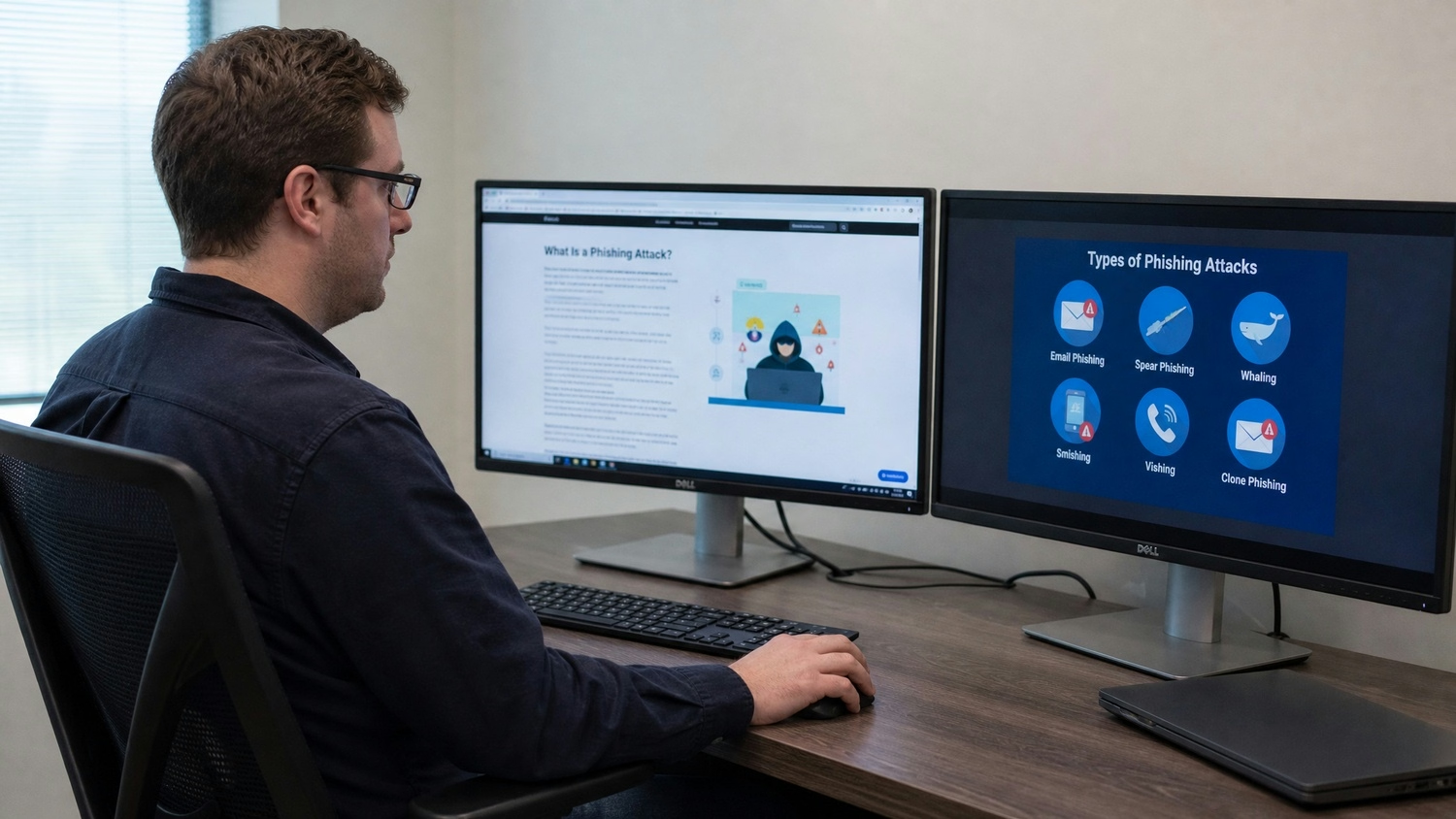
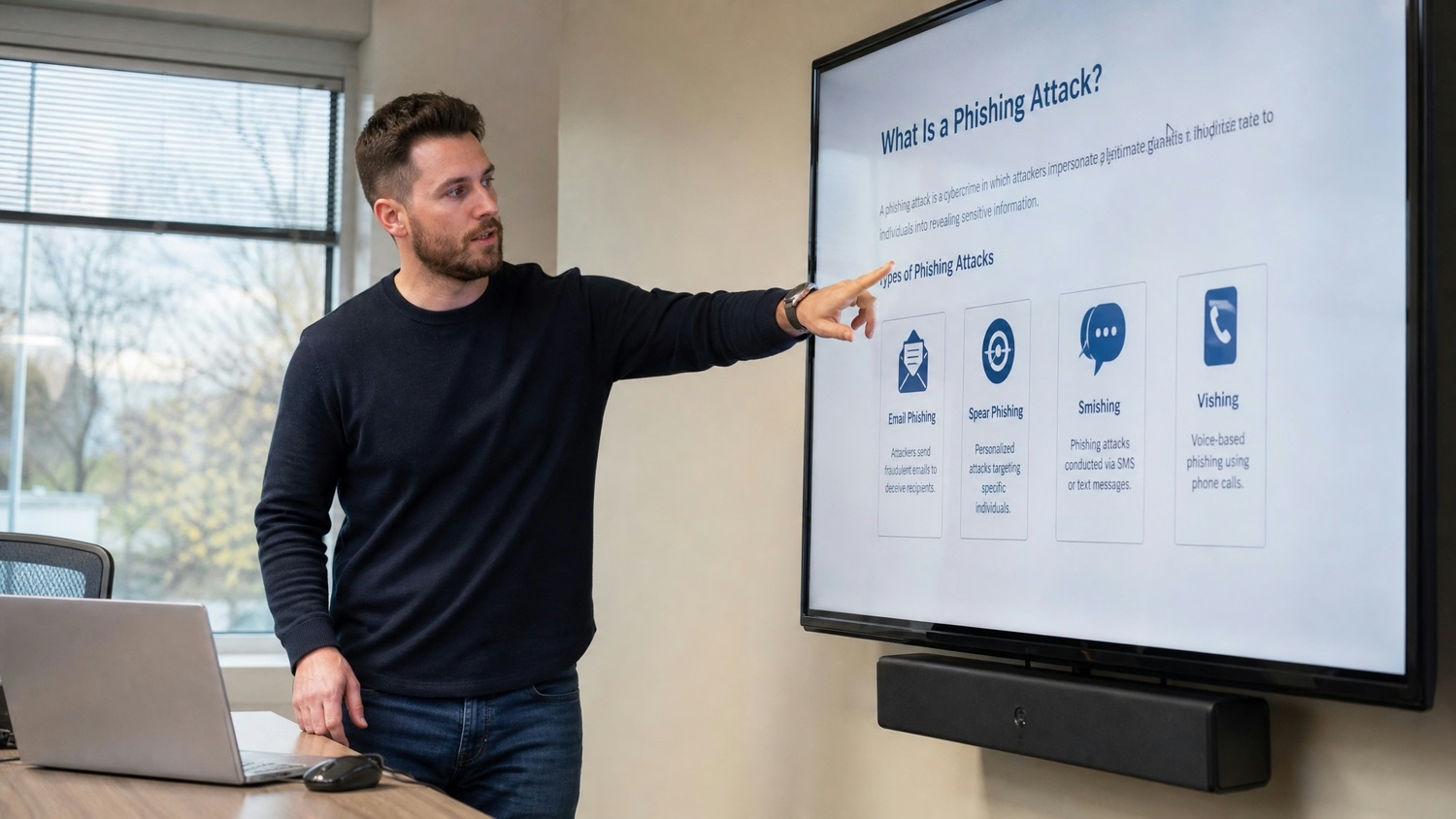
There are many types of phishing attacks, and each one targets your organization differently. Some attackers use spear phishing, which means they research specific employees and craft personalized messages. Others attempt whaling attacks, focusing on executives or financial staff to access larger sums or confidential data.
Understanding the different types of phishing attacks helps you build better defenses. For example, a phishing campaign might target your entire company with a broad message, while a spear phishing attempt could focus on just one person. Both can lead to serious consequences, including data breaches and financial loss. By learning about these tactics, you can better protect your organization from phishing attacks and reduce your risk.
How to protect your organization from phishing: Key steps
Protecting your organization from phishing attacks takes a mix of technology, training, and clear policies. Here are some important steps to consider.
Step #1: Educate your team on the signs of phishing
Make sure everyone knows how to spot a phishing email. Training sessions and regular reminders can help staff stay alert to suspicious email or text message requests.
Step #2: Use strong phishing protection tools
Invest in reliable email security and anti-phishing software. These tools can block many phishing emails and alert you to threats.
Step #3: Require multi-factor authentication
Adding a second step to logins, like a code sent to your phone, makes it much harder for attackers to access accounts even if they have a password.
Step #4: Set clear policies for reporting phishing
Encourage employees to report phishing attempts right away. Make it easy for them to flag suspicious messages so your IT team can respond quickly.
Step #5: Run regular phishing simulations
Test your team's ability to spot phishing scams with realistic simulations. This helps identify areas for improvement and keeps everyone sharp.
Step #6: Monitor for unusual activity
Watch for signs of phishing, like unexpected login attempts or requests to change payment details. Quick detection can stop a scam before it spreads.
Practical phishing prevention for growing businesses
Implementing phishing prevention doesn't have to be complicated. Start by making sure your staff understands what a phishing attack is and why it matters. Provide regular training and updates on the latest phishing techniques. Encourage a culture where employees feel comfortable reporting anything that seems off.
Next, use technology to support your efforts. Email filtering, multi-factor authentication, and up-to-date security software all help defend against phishing attacks. Review your policies regularly and update them as new threats emerge. By taking these practical steps, you can reduce your risk and keep your business running smoothly.
Best practices for defending against phishing attacks
Follow these best practices to strengthen your defenses:
- Train employees regularly on how to spot a phishing email and respond safely.
- Use strong passwords and change them often to reduce risk.
- Enable multi-factor authentication for all important accounts.
- Keep software and security systems updated to block new phishing techniques.
- Encourage staff to report phishing messages quickly and without fear of blame.
- Review and test your incident response plan so everyone knows what to do if a phishing attack happens.
Taking these steps helps protect your business and build a safer workplace for everyone.

How Unified Technicians can help with what a phishing attack is
Are you a business with 50 or more employees looking for stronger phishing protection? As your organization grows, so do the risks—especially when it comes to phishing scams targeting your team at every level. We understand the unique challenges larger teams face and can help you build reliable systems to defend against phishing attacks.
Our team at Unified Technicians specializes in helping companies identify phishing attempts, respond quickly, and prevent future incidents. We offer tailored training, advanced security tools, and ongoing support to keep your business safe. Contact us today to learn how we can help protect your organization from phishing threats.
Frequently asked questions
What are the most common phishing attack methods used against large organizations?
Large organizations often face phishing attacks through carefully crafted phishing emails and spear phishing attempts. Attackers may use social engineering to make their phishing messages seem urgent or important, increasing the chance someone will respond. These methods are designed to trick staff into sharing sensitive information or clicking on malicious links.
To reduce risk, train employees to spot suspicious email content and verify requests for personal information. Encourage everyone to report phishing messages to your IT team right away. Regular updates to your email security systems can also block many phishing scams before they reach your inbox.
How can we identify a phishing email before employees click on it?
Look for signs like poor grammar, unexpected attachments, or requests for sensitive information in an email phishing message. Phishing scams often use spoofed addresses or fake websites to trick you into sharing your details. If an email asks for your password or urges immediate action, double-check its legitimacy before responding.
Encourage staff to hover over links to see the real URL and to avoid clicking on anything that looks suspicious. Regular training on how to spot a phishing email helps everyone stay alert and reduces the risk of falling for a phishing scam.
What steps should we take if someone has responded to a phishing email in our company?
If an employee has responded to a phishing email, act quickly to protect your organization from phishing attacks. First, change any compromised passwords and monitor affected accounts for unusual activity. Notify your IT or cybersecurity team so they can investigate and contain the threat.
Next, review what information may have been shared, such as credit card numbers or login details. Remind staff to report phishing incidents right away and provide additional training on how to avoid future phishing attempts.
How do phishing simulations help protect your organization from phishing?
Phishing simulations are mock phishing campaigns that test how well employees can spot a phishing attempt. These exercises help identify gaps in your team's awareness and provide a safe way to practice responding to suspicious messages. By running regular simulations, you can reinforce training and improve your organization's overall phishing protection.
Simulations also help you track progress over time and adjust your training to address new phishing techniques. This proactive approach makes it easier to defend against phishing and keeps your staff ready for real threats.
What are the main differences between spear phishing and whaling attacks?
Spear phishing targets specific individuals, often using personal details to make the phishing message more convincing. Whaling attacks focus on high-level executives or financial staff, aiming to access sensitive information or authorize large transactions. Both types of phishing attacks use social engineering to increase their chances of success.
To defend against these threats, provide targeted training for staff in key roles and use advanced email security tools. Encourage everyone to verify unusual requests, especially those involving sensitive information or financial transfers.
What are the best ways to protect yourself from phishing as a large team?
Large teams should combine regular training with strong technical controls to protect against phishing. Teach employees how to spot a phishing email, use multi-factor authentication, and keep software updated. Set clear policies for reporting suspicious messages and responding to phishing attempts.
Encourage a culture where staff feel comfortable asking questions about suspicious emails or websites. By staying informed and working together, your organization can reduce the risk of falling for phishing scams.
Alex Oosterman is the founder of Unified Technicians, bringing 12+ years of IT leadership and expertise in cloud technologies, cybersecurity, and business technology solutions.



.svg)
