Azure Virtual Desktop: The Four Decisions That Quietly Shape Performance

Alex Oosterman

The long-term performance of an Azure virtual desktop environment depends on four early decisions: image management, session host sizing, network path, and profile storage. Overlooking any one of these can quietly undermine user satisfaction, even when the deployment seems complete.
Azure virtual desktop deployments fail quietly, not loudly: a session host sized for a calm afternoon starts struggling the moment real workloads hit it, and a network route that tests clean on day one adds just enough delay to make every click feel heavier than it should.
None of this shows up in the first week. The symptoms that eventually surface — slow logins, laggy applications, random disconnects — trace back to choices made before anyone ever logged in. Those choices don't announce themselves at the time, which is exactly why they're so easy to miss.
Four decisions sit underneath almost every one of these problems: how the base image is built, how session hosts are sized, how the network path is routed, and where user profiles live. Each one works quietly in the background, and together they decide whether an Azure virtual desktop environment stays smooth or slowly degrades.

Why performance issues linger after deployment
Once Azure virtual desktop is running, it's tempting to treat the hard part as finished. Weeks or months later, though, small frustrations tend to appear anyway: a login that used to take seconds now takes longer, an application that used to respond instantly now hesitates.
These problems rarely trace back to one obvious mistake. They build instead from a handful of settings that were accepted as defaults during deployment, because nothing about them looked urgent at the time. The cost of that doesn't show up immediately — it accumulates, one slightly slower session at a time.
A session host sized for a quiet day, for instance, buckles the moment real usage arrives. A network path that looks fine on a diagram can still introduce enough delay to make a remote session feel sluggish. Individually, these look like minor technical details; together they set the tone for the entire environment.
The hidden impact of image management
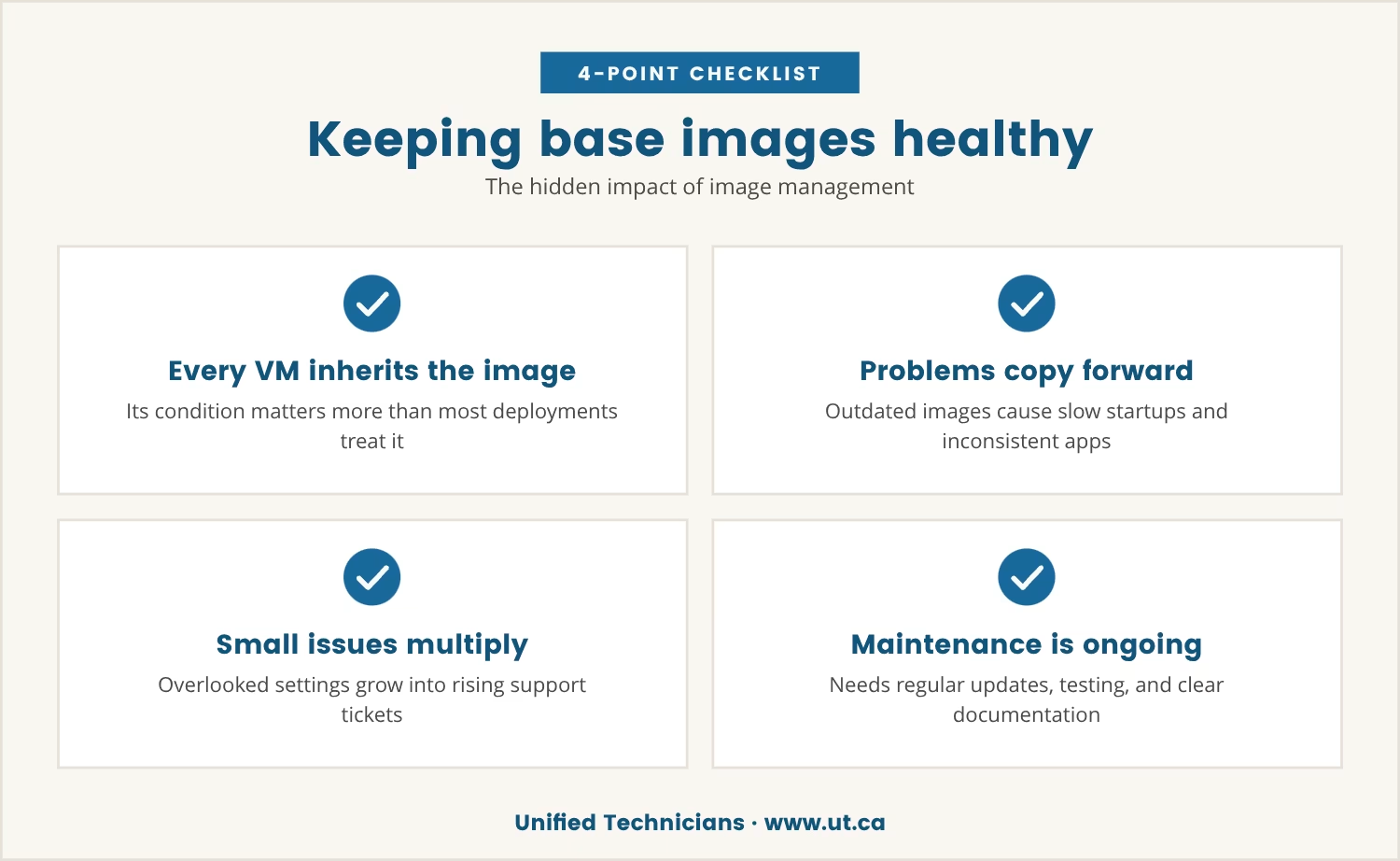
A base image is the single starting point every virtual machine in the environment inherits from, so its condition matters more than most deployments treat it as mattering.
When that image is cluttered or out of date, every new desktop copies the same problems forward: slower startups, missing updates, applications that behave inconsistently from one machine to the next. None of that stays small for long, because each new deployment multiplies whatever the image already carries, which is how a handful of overlooked settings turns into a rising stream of support tickets.
Keeping the image current isn't a task you finish once. It calls for regular updates, real testing before changes roll out, and documentation clear enough that the next person maintaining it isn't guessing. Skip that discipline, and every future deployment inherits today's shortcuts.
Session host sizing: More than just a numbers game
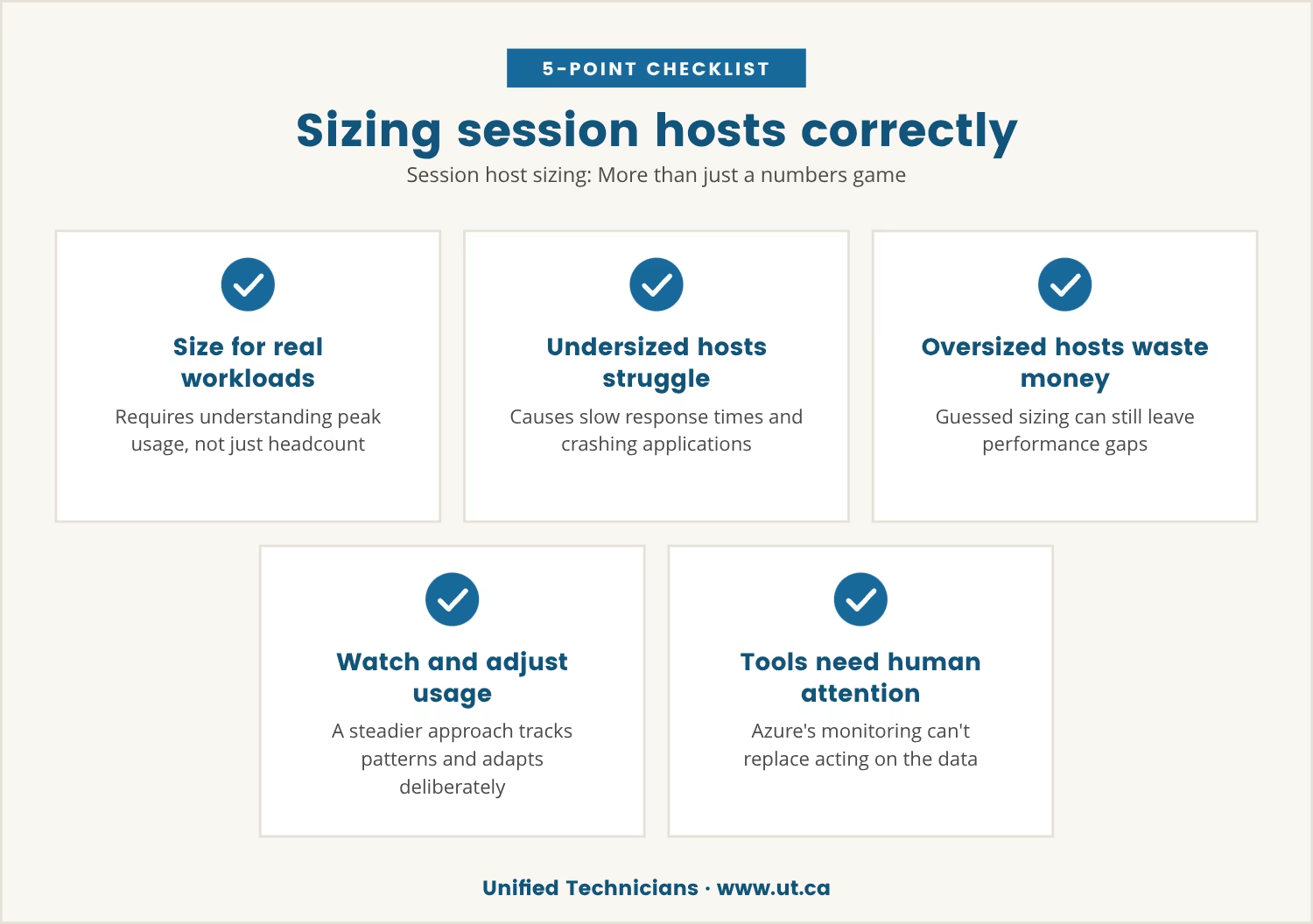
A session host is the machine doing the actual work behind each user's desktop, and sizing it correctly means understanding real workloads and peak usage, not just counting heads.
Size too small, and users compete for the same limited resources, which shows up as slow response times, crashing applications, and a team that notices immediately. Size too large, though, and the waste is real money with no guarantee the mismatch between provisioning and actual usage disappears — oversized hosts can still leave performance gaps if the sizing was guessed rather than measured.
The steadier approach is to watch usage patterns as they emerge and adjust deliberately. Azure's monitoring tools make the data available; what they can't do is replace the attention it takes to act on it.
Four overlooked decisions that shape every Azure virtual desktop environment
Four choices quietly decide how well any Azure virtual desktop environment performs once the basics are in place, and each is easy to treat as settled rather than ongoing.
We've come to think the difference between a deployment that holds up and one that slowly degrades isn't the platform — it's whether whoever is configuring it approaches the work as a genuine technology discipline rather than as an administrative box to tick.
That's a belief we hold more than a rule we'd claim is proven, but it tracks with what we see in how these four decisions get treated. Alex, who leads this work for us, comes at the business as a genuine technology person rather than just an owner, and we think that stance is roughly what shows up in how carefully these four decisions get handled here.
Someone approaching the business purely as an operator tends to accept defaults and move on. Someone who comes at it as a technologist first keeps asking what the image, the sizing, the network path, and the profile storage are actually doing under real load.
That habit, more than any single setting, is what separates an environment users trust from one they quietly route around.
Image management
A well-maintained image is the foundation every virtual desktop stands on. Regularly updating and testing it keeps desktops consistent and keeps support tickets from becoming a pattern.
Session host sizing
Right-sizing means matching resources to how people actually work, not to a headcount. That's a moving target, which is why continuous monitoring matters more than getting the number right once.
Network path
The route data takes between the user and the Azure environment shapes login speed and application responsiveness alike. Even a small increase in latency is enough to make a remote desktop feel unresponsive.
Profile storage
Where and how user profiles are stored determines how fast someone can log in and find their settings waiting for them. Configure it poorly, and every session starts to feel like starting over.
How network path choices affect Toronto businesses
For companies in Toronto, the path between users and the Azure environment is never just a technical footnote — local internet quality, the distance to the nearest regional data centre, and the state of office Wi-Fi all shape what that path actually delivers.
A direct, well-optimized connection can make a remote desktop feel almost indistinguishable from a local machine. An indirect or overloaded one, by contrast, announces itself immediately: a few extra milliseconds of delay is enough to make applications lag or drop the session.
Reviewing that path regularly, especially as a team grows or shifts locations, keeps performance from drifting. It's an easy step to skip, and an easy one to feel the absence of.
Profile storage: The silent user experience killer
User profiles carry settings, documents, and preferences, so when storage behind them is slow or unreliable, the result is long logins and missing data. The frustrating part is how late this surfaces — usually only once users start reporting lost work or desktops that feel inconsistent session to session.
Choosing the right storage option, whether that's Azure Files, FSLogix, or another approach, means balancing speed, reliability, and cost rather than optimizing for just one. Testing configurations before full rollout tends to surface bottlenecks while they're still cheap to fix.
The long-term cost of skipping these decisions
Getting Azure virtual desktop running quickly and sorting the details out later is a tempting order of operations, but every shortcut taken at deployment tends to resurface later as a harder, costlier problem.
Small performance issues compound rather than stay flat: support tickets climb, satisfaction drops, and the flexibility that was supposed to define the environment starts to feel more like friction. Fixing any of this after the fact always costs more than getting it right during deployment.
Image management, session host sizing, network path, and profile storage are the four decisions that quietly set the standard everything else runs against. Skip one, and you've accepted a lower bar for your users — often without anyone noticing until the cost is already showing up in the support queue.

How we help Toronto businesses get virtual desktops right
If your business has 50 to 200 employees, you may be facing slowdowns or user complaints that trace back to early Azure virtual desktop decisions. At Unified Technicians, we understand how these hidden choices can impact your team's daily work.
We invite you to see how our approach addresses these challenges before they become problems. Let's talk about your setup and what matters most to your users.
Ready to test your environment’s potential?
Try our full managed IT services free for 30 days—see how your Azure virtual desktop environment performs with expert support and no risk.
Frequently asked questions
What is the best way to manage application updates in a virtual desktop environment?
Update the base image on a regular schedule and test new application versions before rolling them out broadly. That keeps every virtual desktop on the same stable set of applications, which cuts down on compatibility issues and support requests.
How does hybrid deployment affect Azure virtual desktop performance?
Hybrid deployments, where some resources stay on-premises while others move to the cloud, add real complexity. Performance depends on how well those on-premises and cloud components are connected and managed, which makes careful planning and regular testing essential rather than optional.
Can I use Citrix with Azure virtual desktop for added features?
Yes — Citrix can be layered on top of Azure virtual desktop to add management, security, and user experience features beyond the base platform. Larger enterprises tend to use this combination when they need advanced capabilities or integration with existing Citrix environments.
What are the main options for user profile storage?
Common options include Azure Files with FSLogix, on-premises file servers, and third-party solutions, each with its own trade-offs in speed, reliability, and cost. Testing different setups is the most reliable way to find the right fit for a given environment.
How do I monitor and manage resource usage in Azure virtual desktop?
Azure's built-in monitoring tools, available through the Azure portal, track session host performance, user activity, and application usage. Reviewing that data regularly makes it possible to adjust resources before small gaps turn into noticeable slowdowns.
Alex Oosterman is the founder of Unified Technicians, bringing 12+ years of IT leadership and expertise in cloud technologies, cybersecurity, and business technology solutions.