Does Azure Migration End With Hybrid Azure AD Join?

Alex Oosterman
Treating Hybrid Azure AD Join as a one-time task leaves your identity system vulnerable to drift, which can quietly break access and security policies. Ongoing management is essential to protect your migration investment.
Picture a company that wrapped up its Azure migration six months ago: every user connected, every server retired, every box on the project plan checked. Identity settings were configured once at go-live and then left alone, because the migration project itself was marked complete and nobody assigned ongoing ownership of them.
Hybrid Azure AD Join is the mechanism behind that gap — it links your on-premises Active Directory with Azure Active Directory so staff sign in once and reach resources in both worlds. Treated as a milestone rather than an ongoing system, it stops getting the attention it needs, and that neglect lets your identity setup drift away from what your access controls assume is true.
Identity management isn't a one-time event; it's a living part of your infrastructure that needs regular attention as the business changes around it. Left on autopilot, the gaps it creates tend to surface months later, usually at the point they're hardest to trace back to a cause.

Why identity drift happens after migration
Identity drift is a slow process, not a sudden failure: it builds when changes in your on-premises Active Directory or Azure AD go untracked, untested, or unmanaged between the two systems. A successful go-live creates the illusion that the system will keep running itself, and that illusion is precisely what lets the drift take hold unnoticed.
New users get added, group memberships change, security policies get updated — and when those changes land in one environment but not the other, users lose access or conditional access rules stop behaving as designed. Hybrid setups make this more likely, simply because both cloud and on-premises systems are live at once and each can change independently of the other.
The mismatches compound quietly. A user who logged in without issue yesterday is locked out today, and a conditional access policy that once protected sensitive data stops applying the way it should. Because these failures rarely announce themselves, tracing them back to their root cause becomes its own project.
The ongoing role of Hybrid Azure AD Join
Hybrid Azure AD Join connects your old identity system with your new one, letting devices and users authenticate across both, and we think that connection needs ongoing maintenance rather than being treated as complete once it works. Treating the configuration as finished the day it works ignores the fact that the business on either side of it keeps moving.
New devices join, old ones should be retired, people come and go — and each of those ordinary events can change how authentication behaves.
Regular reviews of the Hybrid Azure AD Join configuration catch the resulting issues before they turn into outages, which means checking synchronization status, watching for errors, and testing conditional access policies on a schedule rather than after something breaks. Skip that review and the setup falls out of step with a business that never stopped changing.
Azure migration and the risk to daily operations
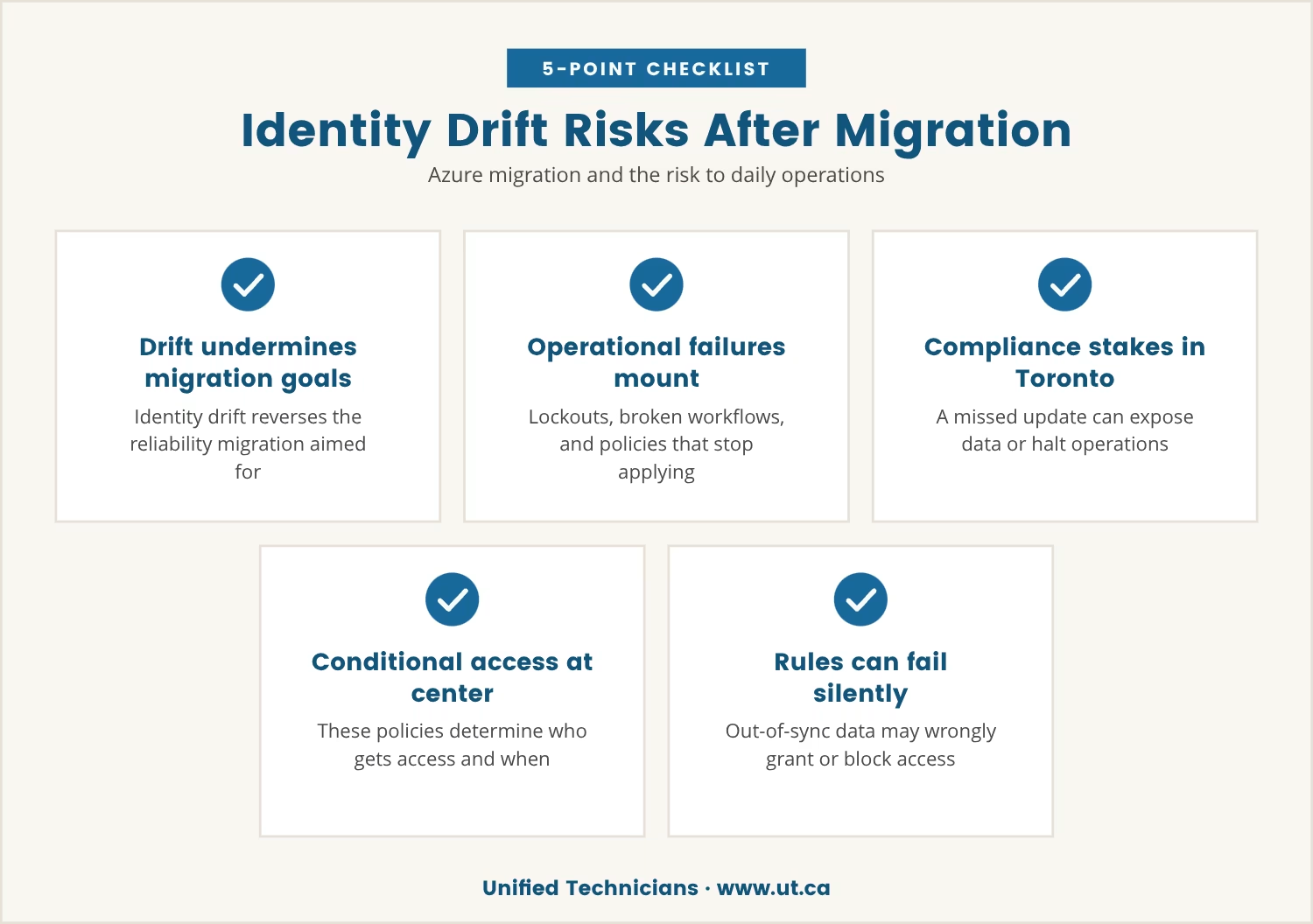
Azure migration is meant to make IT more reliable and more flexible, so when identity drift takes hold, it produces the opposite of what the migration was for. Users get locked out of applications they need, automated workflows fail because permissions no longer line up, and security policies stop applying where they're supposed to.
For businesses in Toronto, where compliance and privacy rules carry real weight, these failures carry consequences well beyond IT: a single missed update to a group or a policy can expose sensitive data or halt operations outright, and the cost that follows is reputational and financial as much as technical.
Conditional access policies sit at the center of that exposure, since they decide who gets in and under what conditions. Once the identity data behind them falls out of sync, those rules can fail silently — granting access that shouldn't exist, or blocking access that should.
What ongoing identity management should look like
Treating identity as an ongoing process means building regular checks into the IT routine rather than leaving the configuration to run unattended. Here's what keeps a Hybrid Azure AD Join setup healthy over time:
- Monitor synchronization: confirm changes in on-premises Active Directory reach Azure AD without delay.
- Review conditional access: test policies on a schedule to ensure they still match current roles and requirements.
- Audit user and device joins: check that new devices and users join as expected, and remove accounts no longer in use.
- Update documentation: keep a record of the configuration so changes can be tracked and understood later.
- Plan for change: when new applications or structural changes arrive, update the identity setup to match them.
Together, these steps are what keep the slow drift described above from undermining a migration that otherwise worked.
How identity drift breaks conditional access
Conditional access is only as reliable as the identity data feeding it, and drift attacks that data in a handful of predictable ways.
Mismatched group memberships
When a user is added to or removed from a group in one system but not the other, the access rule built on that group membership fails along with it. The result is either a lockout or access nobody intended to grant.
Outdated device registrations
A device retired in practice but still registered in the system leaves a security hole behind it. Left uncleaned, conditional access policies keep extending trust to hardware that no longer deserves it.
Unmonitored synchronization errors
Sync failures between on-premises and Azure AD often go unnoticed, and while they persist, changes made in one environment simply never reach the other. Access policies built on that missing data break without any visible warning.
Forgotten policy updates
As the business changes, conditional access policies need to change with it; left alone, they drift away from the security needs they were written to meet. A policy built for last year's org chart rarely fits this year's risk profile.
Shadow IT and unsanctioned changes
Changes made outside IT's visibility introduce inconsistencies the rest of the system was never designed to absorb. Those inconsistencies are what eventually surface as broken conditional access or unexplained security gaps.
Why a one-time setup mindset persists
Many IT teams treat Hybrid Azure AD Join as a hurdle cleared during migration, then move on to the next project once it's working. That instinct comes from a reasonable place — a desire to finish the migration and avoid carrying extra complexity forward.
But cloud migration is a shift in how IT gets managed, not a single event, and identity sits at the center of that shift. On-premises habits don't map cleanly onto a cloud environment, so without deliberate adaptation, teams fall back into practices that don't protect what they just built.
Some teams also underestimate how quickly their own business changes. Growth, turnover, and new applications all push against identity configuration, and a setup that isn't reviewed on a regular basis simply can't keep pace with them.
Signs your identity strategy needs attention
How do you know a Hybrid Azure AD Join setup has started to drift? A handful of warning signs tend to show up before anything breaks outright:
- Frequent user lockouts: staff can't reach cloud or on-premises resources for no clear reason.
- Conditional access failures: policies stop applying as expected, or users bypass restrictions they shouldn't be able to.
- Unexplained sync errors: synchronization between on-premises and Azure AD lags or fails outright.
- Stale device records: devices no longer in use still show as active in the system.
- Manual workarounds: IT staff spend time patching identity issues that should resolve themselves automatically.
If several of these sound familiar at once, the identity management process is worth a closer look before the next failure forces the issue.
Building a sustainable identity approach
A sustainable identity strategy treats Hybrid Azure AD Join as a living part of the infrastructure rather than a project milestone. In practice, that means:
- Regular reviews: schedule audits of the identity setup as an ongoing task, not a one-off after migration.
- Clear ownership: assign identity management to a specific role or team so accountability doesn't drift along with the configuration.
- Integrated tools: use Azure cost management and monitoring tools to track changes and surface issues early.
- Training and awareness: make sure everyone touching the system understands how identity decisions affect security and access.
- Continuous improvement: adjust the process as the business and its technology needs evolve.
We find that treating identity as an ongoing priority is what protects the investment made in Azure migration and keeps the hidden costs of drift from ever surfacing.

Why ongoing identity management matters for growing teams
If your business has 50 to 250 users, you might feel like your Azure migration is complete once Hybrid Azure AD Join is set up. At Unified Technicians, we know that's when the real work of keeping your identity strategy healthy begins.
We invite you to see how our team approaches ongoing identity management and what a conversation about your current setup could reveal.
Ready to try managed IT without risk?
Get a 30-day free trial of our full managed IT services—no commitment required, just a chance to see the difference ongoing support can make.
Frequently asked questions
What is the difference between Hybrid Azure AD Join and Azure AD Join?
Hybrid Azure AD Join connects a device to both on-premises Active Directory and Azure Active Directory, so a single identity reaches resources in either environment. Azure AD Join, by contrast, covers devices managed entirely in the cloud with no need to connect back to on-premises systems.
How can I tell if identity drift is affecting my business?
Watch for unexpected user lockouts, conditional access policies that no longer apply as expected, or synchronization errors between on-premises and cloud environments. Regular audits and monitoring catch these patterns before they disrupt daily operations.
Why do conditional access policies break after migration?
These policies depend entirely on accurate, current identity data, so when group memberships, device registrations, or synchronization fall out of step between environments, the policies built on them stop working as intended. The result is either a security gap or users locked out of what they need.
What steps should I take to maintain a healthy migration and modernization process?
Schedule regular reviews of the identity configuration, monitor synchronization status, and update conditional access policies as the business changes. Assign clear ownership for identity management and automate the routine checks wherever the tools allow it.
How does Azure cost management relate to identity strategy?
Azure cost management tools track resource usage and flag inefficiencies, including the ones identity drift creates. Unused or misconfigured accounts and devices drive up costs and introduce security risk in roughly equal measure when they go unmanaged.
Alex Oosterman is the founder of Unified Technicians, bringing 12+ years of IT leadership and expertise in cloud technologies, cybersecurity, and business technology solutions.