Cloud Migration Strategy: Why the Order of Your Moves Matters Most

Alex Oosterman

The success or failure of a cloud migration often comes down to the order in which workloads are moved. If you skip sequencing decisions at the start, later fixes can’t fully repair the damage.
Every workload you move to the cloud depends on something else to function, and that chain of dependencies is what makes migration sequence matter so much. A cloud migration strategy is really a series of ordering decisions, and each one shapes what happens next.
When a database moves before the application that reads it, or an authentication service shifts before the systems that rely on it, the gap between those two moves is where problems surface. Skip the planning that maps those connections, and you inherit unexpected downtime, data inconsistencies, or budget overruns that are far harder to unwind once workloads are already sitting in the new environment.
That's why we treat a migration plan as more than a checklist. The sequence itself is the roadmap: get it right, and the business keeps running while the transition happens underneath it.

The hidden impact of workload sequencing
Workload sequencing decides whether your migration stays on schedule or quietly comes apart. It's easy to focus on the visible choices, which cloud provider, which migration tools, what the costs will look like, but the order you move things in works in the background the entire time.
Move systems in the wrong order, and you break the dependencies between them. A database relocated before the applications that query it, for instance, can leave users staring at an app that won't load their data. That's not a minor inconvenience; it disrupts operations and makes people trust IT a little less.
Sequence the move correctly, though, and each workload stays available exactly when the business needs it, while the systems around it keep talking to each other. Nobody outside IT notices this work when it's done well, which is precisely the point.
Dependencies: The silent drivers of migration success
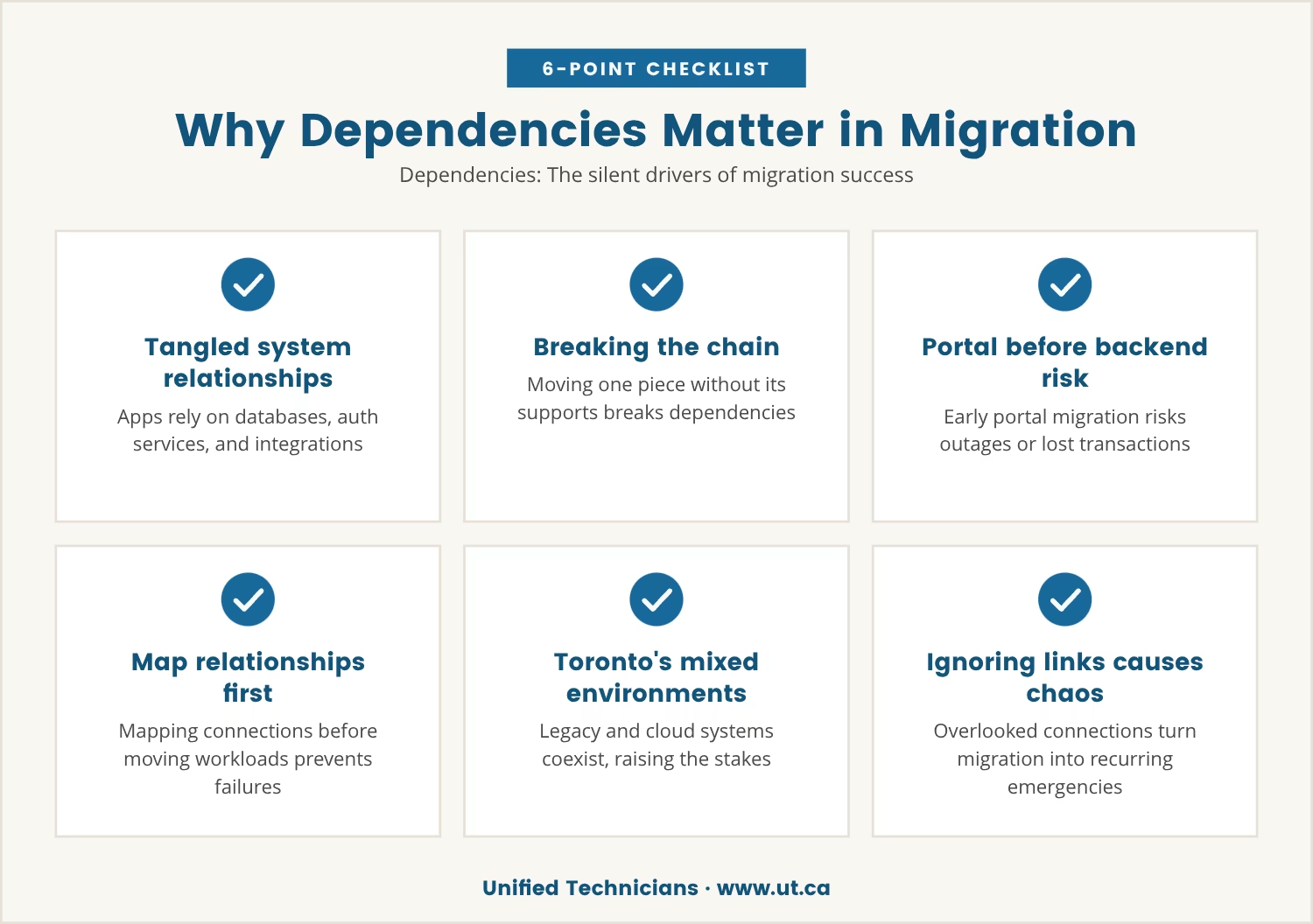
Every application you run leans on other systems, a database, an authentication service, a third-party integration, and those relationships are usually more tangled than they look on paper.
Because of that, moving one piece without its supporting components breaks the chain it belongs to. Migrate a customer portal ahead of its backend services, for example, and you risk outages or lost transactions before anyone notices the portal was ever live. Mapping these relationships before the first workload moves is what keeps that from happening.
In Toronto, many organizations run a mix of legacy systems alongside modern cloud applications, which makes understanding those connections even more important. Ignore the links between them and a straightforward migration turns into a string of emergencies instead.
How a cloud migration strategy shapes project outcomes
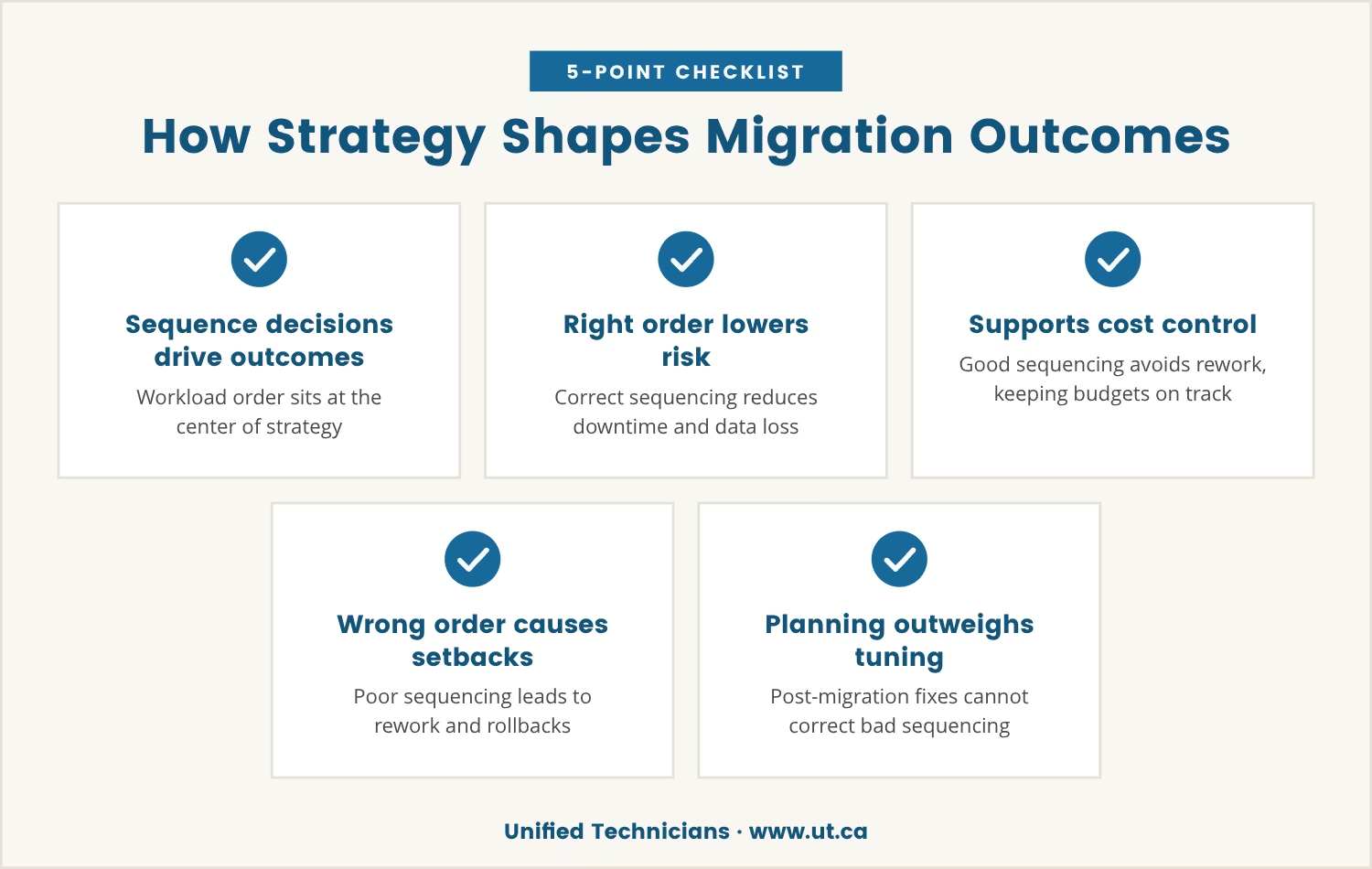
A cloud migration strategy is the set of decisions that determines how every stage of the migration unfolds, and the sequence you choose for moving workloads sits at the center of it.
Get that order right and downtime drops, the risk of data loss falls, and you can test each system as it moves rather than discovering problems after the fact. That discipline also supports cloud cost optimization, since nothing has to be redone and the project stays on budget.
Get it wrong, though, and you're looking at rework, delayed services, or rolled-back migrations. No amount of post-migration tuning fully corrects workloads that were moved out of order, which is exactly why the planning phase at the start carries so much weight.
Common sequencing pitfalls and how to avoid them
Even experienced IT teams fall into familiar traps when they sequence a migration. The most common mistakes, and how to sidestep them, look like this:
- Ignoring dependencies: failing to map how systems connect causes outages when one moves before another it relies on.
- Underestimating testing needs: skipping or rushing tests between steps leaves issues that only surface later.
- Moving non-critical workloads first: teams sometimes migrate minor systems to "practice," which wastes effort if those systems depend on others that haven't moved yet.
- Overlooking compliance requirements: some data or applications carry regulatory constraints that affect when and how they can move.
- Failing to communicate with stakeholders: leaving business units out early can mean missed requirements or disruptions nobody saw coming.
Sequencing in practice: Steps to an effective cloud migration strategy
Building a sequence means understanding your environment well enough to put it in a logical order, not just writing a list. Here's how that takes shape step by step.
1. Inventory all workloads and dependencies
List every application, database, and service you plan to move, and for each one identify what it depends on, its data sources, its authentication, its integrations.
2. Prioritize based on business impact
Decide which workloads matter most to daily operations. Those often need to move later, once the supporting systems underneath them are in place and tested.
3. Group related systems
Cluster applications and services that work closely together, since migrating them as a unit reduces the risk of breaking the connections between them.
4. Plan for compliance and regulatory needs
Some data needs extra controls or approvals before it can move, so build those requirements into the sequence early rather than discovering them mid-migration.
5. Test after each migration step
Once each group has moved, test it thoroughly to confirm everything works, and resolve issues before the next set of workloads follows.
6. Communicate with stakeholders
Keep business leaders and end users informed about what's moving and when; clear communication reduces surprises and builds trust in the process.
7. Adjust as you go
No plan survives first contact unchanged, so stay ready to revise the sequence as new dependencies or challenges turn up along the way.
The role of multicloud management in sequencing decisions
Many businesses in Toronto now rely on multicloud management, running more than one cloud provider at once to balance flexibility, cost, and risk, and that choice adds a layer of complexity to the migration strategy.
When workloads sit across multiple cloud environments, sequencing matters even more, because moves between providers need coordinating, data has to keep flowing, and silos are easy to create by accident. Each provider brings its own tools, its own compliance requirements, its own performance quirks, and a plan that ignores those differences runs into friction fast.
A well-planned sequence prevents duplicated effort and keeps steps from falling through the cracks, which in turn supports cloud cost optimization by avoiding unnecessary transfers and idle resources. The more providers in the mix, the more a clear migration order is worth.
Why post-migration fixes can't undo poor sequencing
Some teams expect to patch over a rushed migration's problems once everything has landed. In practice, the issues created by poor sequencing tend to get built into the new environment rather than sitting on the surface where they're easy to reach.
Move workloads without accounting for dependencies, for instance, and you may need to shift some back on-premises temporarily or rebuild integrations from the ground up, work that costs time and disrupts whatever is already running.
Even the best migration tools can't fully reverse that kind of damage after the fact, which is why time spent getting the sequence right up front saves considerably more effort than trying to fix it afterward.
Bringing it all together: The true cost of skipping sequencing
The order you migrate workloads in functions as the backbone of a cloud migration strategy, not a technical footnote, because each skipped sequencing step tends to surface later as downtime, data inconsistencies, or costs that climb past the original plan.
Whether the migration is happening in Toronto or elsewhere, mapping dependencies, setting a sequence, and bringing stakeholders in early generally pays for itself, since the planning done before the first workload moves tends to keep paying off well after the migration itself is complete.

Why planning your migration order pays off
Many businesses with 50 to 250 employees find themselves facing complex decisions when planning a move to the cloud. At Unified Technicians, we understand how overwhelming it can be to get the order right and avoid costly setbacks.
If you want to see how our team approaches workload sequencing or discuss your own migration plans, we invite you to reach out for a conversation.
Test your migration plan with zero risk
Try our full managed IT services free for 30 days—see how your migration strategy holds up before committing long-term.
Frequently asked questions
How do I identify dependencies before starting a migration?
Map every application, database, and service in your environment, and for each one document what it needs to function, its data sources, authentication systems, and integrations with other software. Involve the business users and IT staff who work with these systems day to day, since that's often where connections the documentation misses come to light.
What are the risks of moving workloads without a clear migration process?
Migrating without a defined process can lead to unexpected downtime, data loss, or broken integrations, and it can create compliance issues if sensitive data moves without the right controls. A clear process avoids these risks by making sure each step is planned, dependencies are respected, and testing happens before you move on.
How can cloud cost optimization be affected by poor sequencing?
Workloads moved in the wrong order often mean redone migrations, duplicate systems running in parallel, or extra cloud resources paid for while issues get fixed, and those costs add up quickly. Careful sequencing supports cloud cost optimization by cutting out that rework and keeping the project efficient.
What role does multicloud management play in migration strategies?
Multicloud management adds complexity because moves have to be coordinated across different providers, each with its own requirements, tools, and compliance rules. Keeping data flowing and systems connected across that mix requires a sequence that's planned with those differences in mind.
Are there best practices for testing after each migration step?
Yes: after each group of workloads moves, run tests confirming that applications, data, and integrations behave as expected, using both automated and manual checks and involving end users where possible. Document and resolve any issues before moving to the next phase, since that's what catches problems early and keeps the migration on track.
Alex Oosterman is the founder of Unified Technicians, bringing 12+ years of IT leadership and expertise in cloud technologies, cybersecurity, and business technology solutions.