.svg)

IT Asset Management Best Practices & Software: Maximize Value, Avoid Mistakes

Alex Oosterman
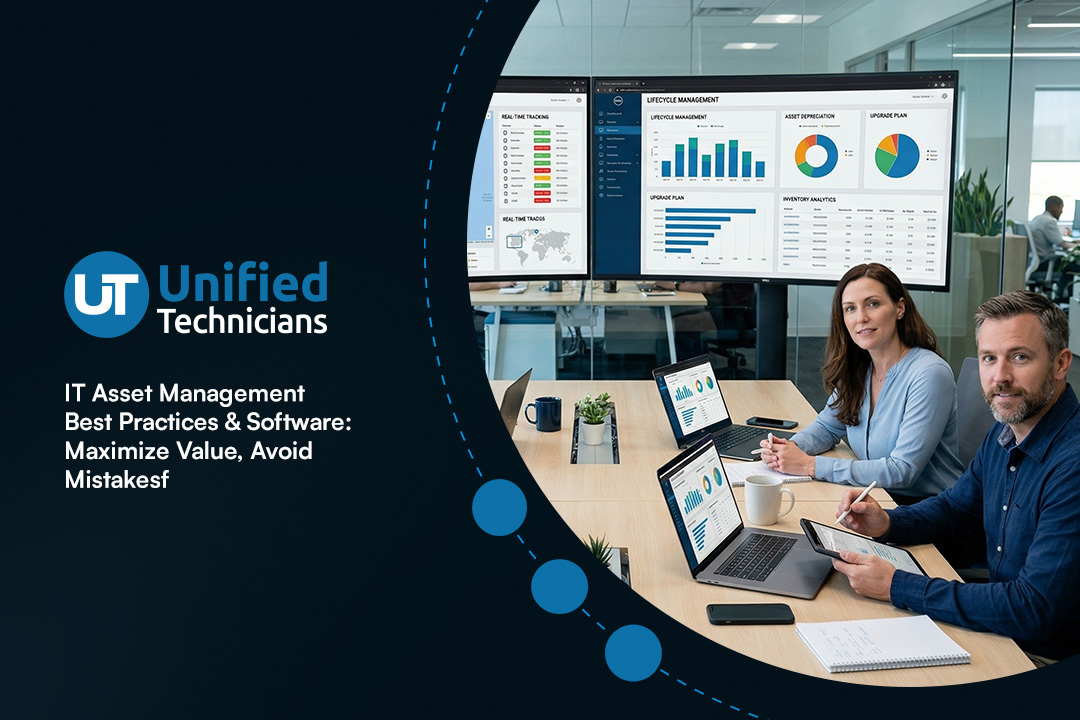
Managing your company’s technology is more than just keeping track of computers. IT asset management (ITAM) helps you control costs, stay compliant, and make smarter decisions about your hardware and software. In this blog, you’ll learn how ITAM works, why it matters, and which best practices can help you maximize value. We’ll cover topics like asset lifecycle, inventory, software asset tracking, and how to optimize your management process for better productivity and compliance.
What is IT asset management, and why does it matter?
IT asset management is the process of tracking and managing all the technology assets your business owns or uses. This includes computers, servers, mobile devices, software licenses, and more. By knowing exactly what you have, where it is, and how it’s being used, you can make better decisions about upgrades, replacements, and budgeting.
For businesses, ITAM is essential for keeping costs under control and reducing risks. It helps you avoid buying unnecessary equipment, ensures you stay compliant with software licenses, and makes it easier to respond to audits. With the right asset management software, you can automate much of this work, saving time and reducing human error.

Avoiding common ITAM mistakes: Steps to get it right
Many organizations struggle with IT asset management because they make a few common mistakes. Here are some important steps to help you avoid these pitfalls and build a strong ITAM process.
Step 1: Failing to keep an updated inventory
Not having a current list of all your hardware and software can lead to wasted spending and security risks. Make sure you regularly update your inventory so you always know what assets you own and where they are located.
Step 2: Ignoring software license compliance
If you don’t track your software licenses, you could end up paying for unused licenses or face penalties for using unlicensed software. Use tools to monitor license usage and stay compliant.
Step 3: Overlooking mobile devices
Mobile phones and tablets are easy to lose track of. Include all mobile devices in your ITAM plan to avoid data loss and security issues.
Step 4: Not planning for the asset lifecycle
Every device and software has a lifespan. Plan for replacements and upgrades before assets become outdated or unsupported. This helps you avoid sudden failures and downtime.
Step 5: Skipping regular audits
Regular audits help you catch errors in your asset records and ensure your ITAM process is working. Schedule audits at least once a year to stay on top of changes.
Step 6: Using manual tracking methods
Spreadsheets and paper records are easy to lose or update incorrectly. Invest in asset management software to automate tracking and reduce mistakes.
Key benefits of a strong IT asset management program
A solid ITAM program delivers real value for your business:
- Reduces unnecessary spending by showing you exactly what you own and need
- Improves compliance with software licensing and regulatory requirements
- Increases productivity by making it easier to find and use technology assets
- Helps you plan for upgrades and replacements, reducing downtime
- Supports better decision-making with clear data on asset usage and costs
- Simplifies audits and reporting for IT and management teams

How asset management software improves your process
Asset management software makes it easier to track, manage, and report on your IT assets. These tools automate many tasks, such as updating inventory, monitoring software usage, and sending alerts when assets need maintenance or replacement. This reduces the risk of human error and saves time for your IT and management teams.
With the right software, you can also integrate asset management with other business systems, like configuration management databases or service management platforms. This creates a single source of truth for all your technology assets, making it easier to respond to issues and plan for the future.
Building a better asset management process: Key strategies
Improving your IT asset management process takes planning and the right approach. Here are some strategies that can help you get the most out of your ITAM program.
Strategy 1: Set clear policies and responsibilities
Define who is responsible for managing each type of asset and what steps they should follow. Clear policies help avoid confusion and ensure everyone follows the same process.
Strategy 2: Use automation wherever possible
Automated tools can track assets, send reminders for maintenance, and generate reports. This reduces manual work and helps you catch issues early.
Strategy 3: Integrate ITAM with service management
Connecting your ITAM system with your service management platform lets you see how assets are used in support tickets and maintenance requests. This gives you a complete view of your technology environment.
Strategy 4: Monitor the asset lifecycle
Track each asset from purchase to disposal. This helps you plan for upgrades, avoid unexpected failures, and ensure secure disposal of old equipment.
Strategy 5: Train staff on ITAM best practices
Make sure everyone who handles IT assets understands the importance of tracking and following procedures. Training reduces mistakes and improves compliance.
Strategy 6: Review and update your process regularly
Technology changes quickly. Review your ITAM process at least once a year to make sure it still meets your business needs and regulatory requirements.

Practical steps for implementing IT asset management
Getting started with IT asset management doesn’t have to be overwhelming. Begin by creating a complete inventory of all your hardware and software, including servers, computers, mobile devices, and software licenses. Use asset tracking tools to keep this information up to date.
Next, set up clear policies for how assets are purchased, tracked, and retired. Assign responsibilities to specific team members and provide training on your ITAM process. Finally, choose asset management software that fits your business size and needs, and integrate it with your other IT systems for maximum efficiency.
Best practices for IT asset management
To get the most from your ITAM program, follow these best practices:
- Keep your asset inventory up to date at all times
- Use automated tools to track and manage assets
- Include all hardware and software, not just computers
- Plan for the full asset lifecycle, from purchase to disposal
- Train staff regularly on ITAM procedures and policies
- Review your process each year to stay current
Following these steps helps you reduce costs, improve compliance, and maximize value from your technology investments.

How Unified Technicians can help with IT asset management
Are you a business with 50 or more employees looking to improve your IT asset management? As your company grows, keeping track of all your technology assets can become a real challenge. We understand the needs of growing businesses and can help you build a reliable ITAM process that supports your goals.
Our team at Unified Technicians specializes in helping organizations set up and manage IT asset management systems. We offer expert advice, the latest asset management software, and ongoing support to make sure your technology works for you. Contact us today to learn how we can help you maximize value and reduce risks.
Frequently asked questions
How does IT asset management help with asset tracking and inventory?
IT asset management makes it easier to track every piece of hardware and software your business owns. By keeping a detailed inventory, you can quickly find out where each asset is located and who is using it. This helps you avoid loss, theft, or duplication of equipment.
A good ITAM process also supports lifecycle management by showing when assets need maintenance or replacement. Accurate tracking ensures you only buy what you need, which can help reduce costs and improve productivity.
What are the best practices for managing software licenses and compliance?
Managing software licenses is a key part of IT asset management. You should keep records of every software license you purchase and regularly check that you are using them correctly. This helps you avoid fines for non-compliance and saves money by not paying for unused licenses.
Using asset management software can automate license tracking and send alerts when renewals are due. Following best practices like regular audits and clear documentation ensures your business stays compliant and efficient.
How does asset management software support configuration management?
Asset management software helps you keep track of configuration details for each device, such as installed software and hardware specifications. This makes it easier to troubleshoot problems and plan for upgrades.
By linking configuration management with your ITAM system, you can quickly see how changes affect your technology environment. This improves service management and helps you respond faster to issues.
Why is lifecycle management important for IT and management teams?
Lifecycle management means tracking assets from purchase to disposal. This helps IT and management teams plan for upgrades, avoid unexpected failures, and ensure secure disposal of old equipment.
A strong lifecycle management process also supports compliance and reduces costs by preventing overbuying or keeping outdated technology in use. It’s a key part of maximizing value from your IT investments.
What role does inventory management play in IT asset management?
Inventory management is the foundation of IT asset management. It ensures you know exactly what assets you have, where they are, and how they are being used. This information is essential for planning, budgeting, and security.
By keeping your inventory up to date, you can spot gaps, avoid unnecessary purchases, and make better decisions about upgrades or replacements. It also helps with audits and compliance reporting.
How can IT asset management help reduce costs and improve productivity?
IT asset management helps you avoid buying duplicate or unnecessary equipment by showing you what you already have. This reduces costs and frees up budget for other needs.
By automating asset tracking and management, your team spends less time on manual tasks and more time on strategic work. This boosts productivity and helps your business stay competitive.
Alex Oosterman is the founder of Unified Technicians, bringing 12+ years of IT leadership and expertise in cloud technologies, cybersecurity, and business technology solutions.


.svg)
